Record video while you use other apps on iPhone
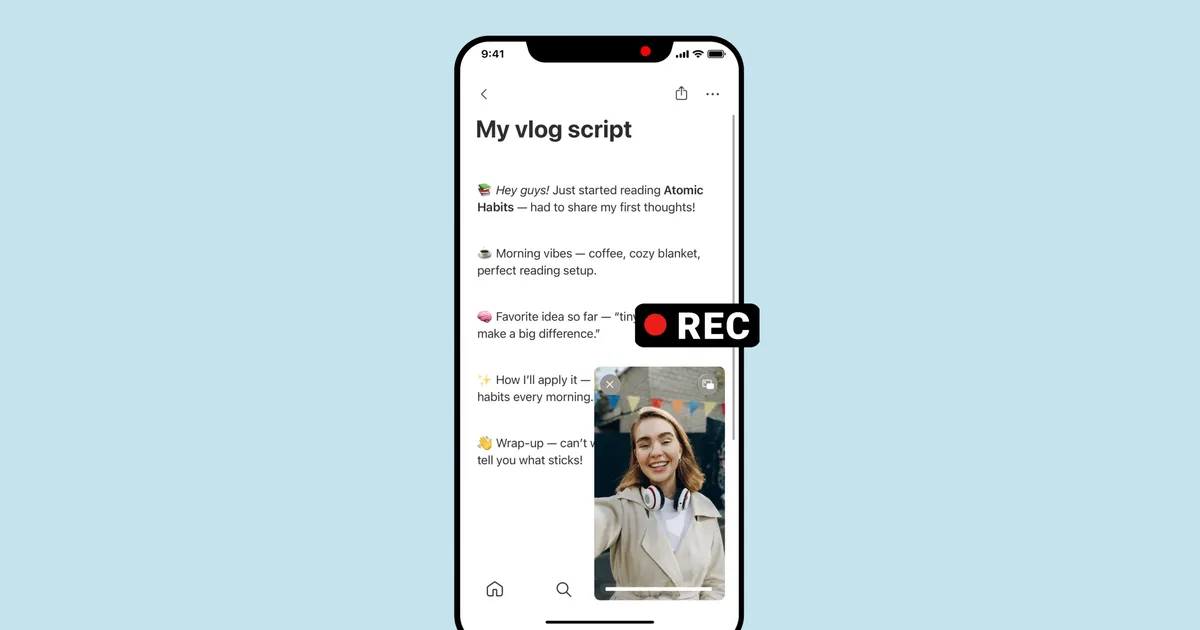
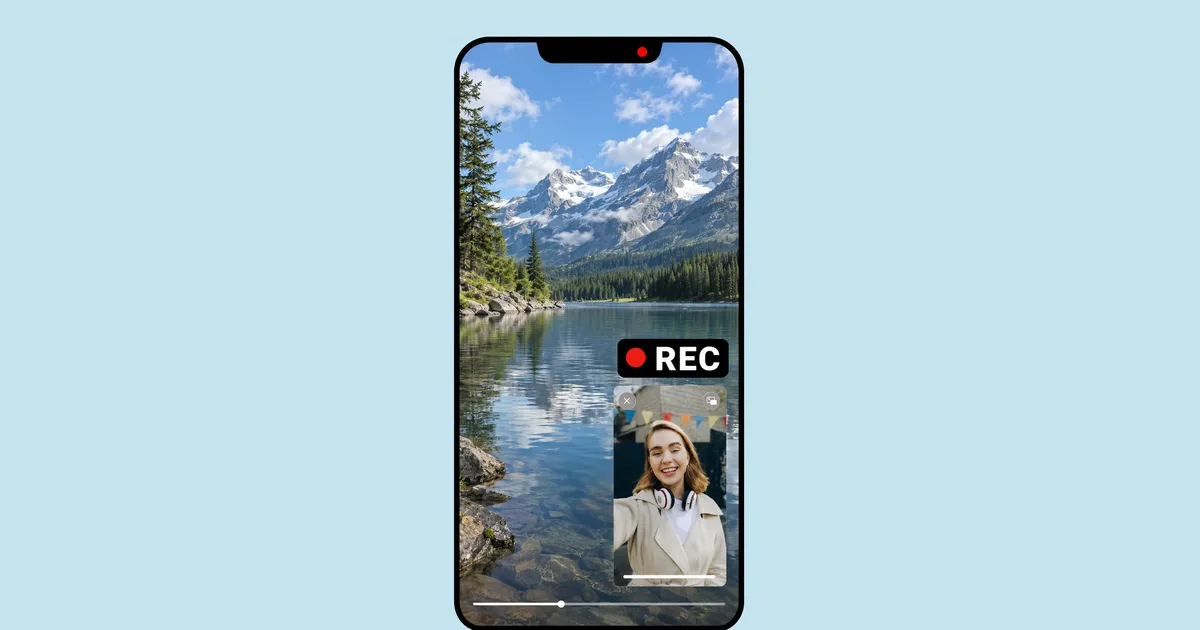
The Camera app stops the moment you leave it. Since iOS 16, though, an app can keep the camera running in a floating Picture in Picture window, and Float Cam records from that window while you use any other app, on iOS 17 and later.
 The Float Cam team · 2 min read
Why the Camera app stops when you switch apps
iOS gives the camera to the app you are looking at. When you go to the Home Screen or another app, Camera loses it and saves what it has. Apps that seem to record in the background usually don't leave at all: they black out their own screen, or let you browse inside their own built-in browser. For years an app had no way to keep filming once you opened a different app.
How Picture in Picture keeps the camera running
iOS 16 added multitasking camera access. An app that turns it on can keep its camera running while it shows in a Picture in Picture window, the small floating window FaceTime uses during a call. That window stays above every other app. You can drag it to any corner and pinch it smaller or bigger. Apple built it for video calls, but the camera feed in the window can just as well be recorded to a video file.
How to do it with Float Cam
- Install Float Cam on an iPhone or iPad with iOS 17 or later, and allow the camera and microphone.
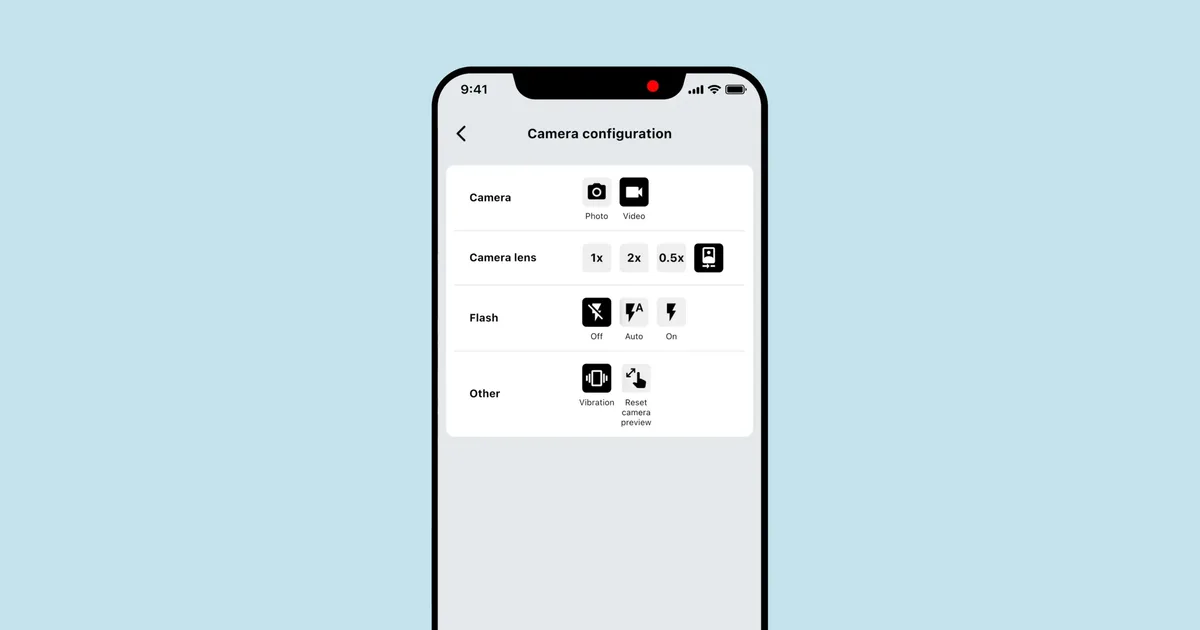
- Pick video or photo and the front or back camera, then open the floating camera. It appears as a Picture in Picture window.
- Go to any app: Safari, Notes, Google Docs, YouTube, Messages, a game.
- Tap play in the window to start recording and pause to stop. In photo mode, the same button takes the picture.
- Open Photos to find the video.
What it can't do
- Record with the window hidden. iOS pauses the camera while the window is tucked against the screen edge. Keep it fully on screen; make it small and park it in a corner.
- Share the camera with another camera app. Opening Camera, or the camera inside Instagram or TikTok, takes the camera away until that app is done with it.
- Record secretly. The green dot at the top of the screen shows whenever any app uses the camera.
- Work on older systems and some older iPads. The floating window needs iOS 17. On iPads without multitasking camera access, Float Cam keeps the camera floating inside the app instead, next to its own browser, notes and PDF viewer.
Which tool fits which job
| You want to | Use | What you get |
|---|---|---|
| Film yourself while reading, browsing or watching on the same phone | A floating camera such as Float Cam | A camera video in Photos |
| Show your screen with your face in a corner | Screen Recording plus a camera overlay app | A screen video with your face in it |
| Read a fixed script word for word | A teleprompter app | A camera video with the script scrolling above the lens |
| Film with the screen dark | A black-screen camera app | A camera video, as long as that app stays open |
Questions people ask
Can an iPhone record video in the background?
Yes, with limits. Since iOS 16 an app can keep the camera running in a Picture in Picture window while you use other apps, and Float Cam records from it on iOS 17 and later. The window has to stay visible, and the green camera dot stays on, so it is not a way to film secretly.
Can I keep recording when I switch apps in the iPhone Camera app?
No. The Camera app stops and saves the clip as soon as you go to another app or the Home Screen. To keep filming while you switch apps, you need an app that runs the camera in a Picture in Picture window, such as Float Cam on iOS 17 or later.
Can I use my iPhone camera in Picture in Picture mode?
Yes. Apple added camera support to Picture in Picture in iOS 16, first for video calls like FaceTime. An app can show your live camera in the floating window and keep it running over other apps. Float Cam uses this to record video and take photos from the window.
Is Float Cam free?
Float Cam is free to download and to record with, floating window included. A premium upgrade unlocks the full set of features, such as more zoom and extra lenses. On iPhone and iPad it needs iOS 17 or later for the window that floats over other apps.
Why does the floating camera freeze when I slide it to the side?
Sliding a Picture in Picture window against the screen edge tucks it away, and iOS pauses the camera while it is tucked away. Slide it back onto the screen to continue. Keep the window small and in a corner instead of hiding it.
Sources
- Adopting Picture in Picture for video callsApple Developer Documentation: the camera in Picture in Picture since iOS 16, and what pauses it
- isMultitaskingCameraAccessEnabledApple Developer Documentation: the capture setting that keeps the camera on while multitasking
Keep filming while you use your phone
Float Cam keeps a floating camera window on screen and records while you do anything else. Free to download on iPhone, iPad and Android.